Get in touch →

FOR HELP DESK AND IT SUPPORT TEAMS

Less switching.
More fixing.

Computer details and support actions. In one workspace.

Working a ticket often means opening several tools just to understand one computer. Endpoint Stack is a desktop app being developed to bring that information and the actions you need into one screen.

The goal is simple: find the computer, review its details, and decide what to do next.

Find a computerReview its detailsFind the next action
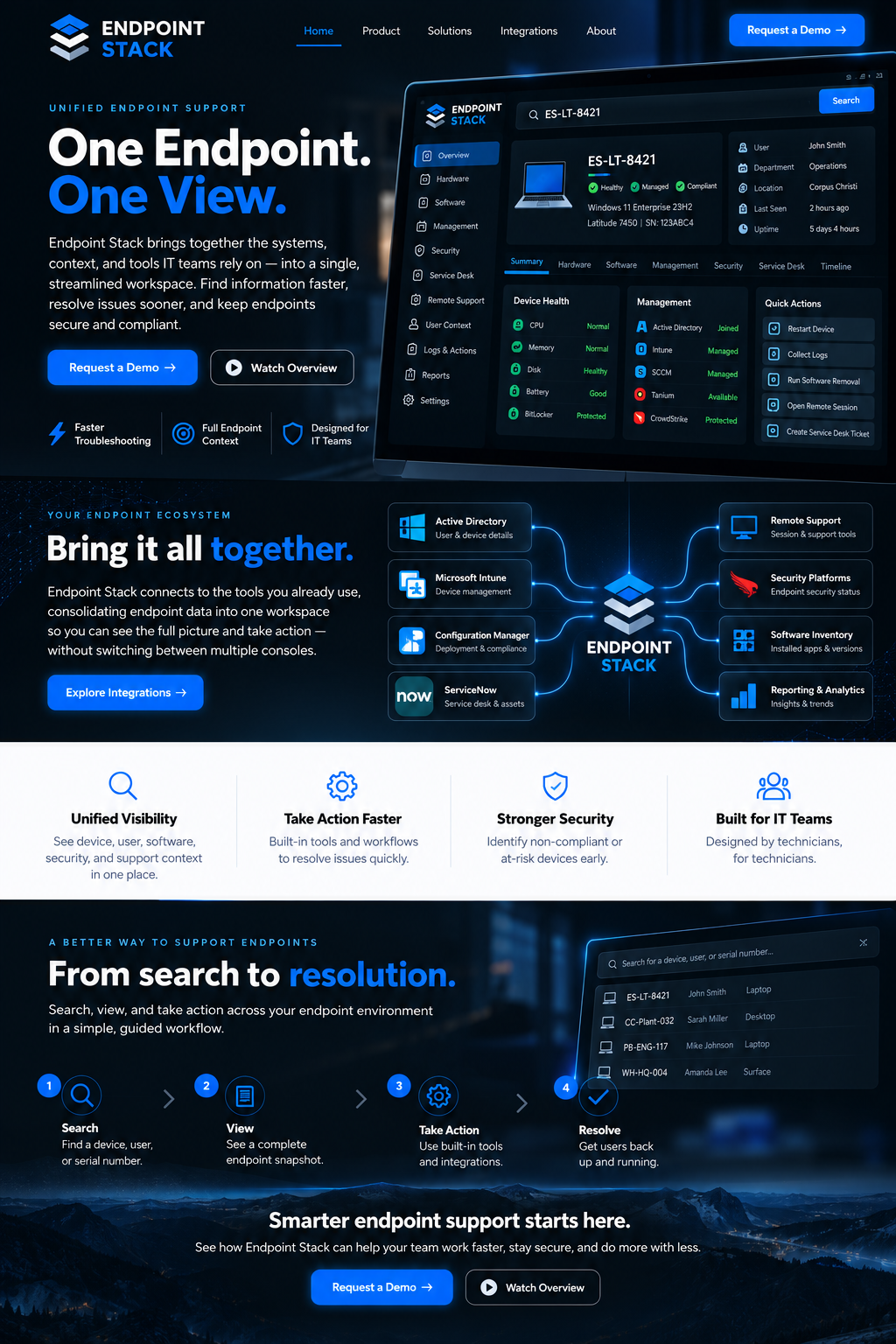
Concept diagram showing Endpoint Stack bringing information from IT management and support tools into a central workspace.
Your existing tools, brought together. This diagram shows the product direction. Connections depend on the tools your team uses and require individual development and setup.

WHAT IS ENDPOINT STACK?

One place to start
working a ticket.

Built around the everyday work of a technician: looking up a computer, understanding its status, and finding the right support action. The product is in development; contact us to discuss your needs.

YOUR TOOLS
02 / SEE THE DETAILS

Spend less time switching

The aim is to bring useful details from your existing IT tools together, so you can understand a device without opening each console separately.

  • Computer and directory information
  • Device management and inventory details
  • Service-desk information

Connections are assessed individually. The tools shown on this page are not all ready-to-use integrations.

See the tools we’re exploring →
YOUR WORKFLOW
03 / TAKE THE NEXT STEP

Find the action you need

Bring relevant support actions alongside the device details, based on the tools and permissions your team uses.

  • Identify the relevant support tool
  • Review actions for the selected device
  • Work within your team’s permissions

The actions available in a live setup must be agreed and tested for your environment.

Tell us about your workflow →

WHAT ABOUT THE TOOLS YOU ALREADY USE?

Your existing tools.
A more useful view.

An integration connects Endpoint Stack to another IT tool. We’re exploring how these connections can help technicians get the information they need in one place.

CORE WORKFLOW DEVELOPMENT

Device and ticket information

Active DirectoryConfiguration Manager (SCCM)ServiceNow

Bring together computer identity, inventory, and service-desk information. Live connections require setup and testing for your environment.

WORKFLOWS BEING EXPLORED

Management and remote support

ScreenConnectMicrosoft Intune

Explore how remote support and device management could fit into the same workspace. Contact us to discuss the tasks your team needs.

POSSIBLE FUTURE CONNECTIONS

Other tools your team uses

CrowdStrikeTaniumYour tool +

Use one of these, or something else? Tell us about it. These connections have not been built yet.

SUPPORTING MORE THAN ONE CUSTOMER?

Choose the customer.
Then find the computer.

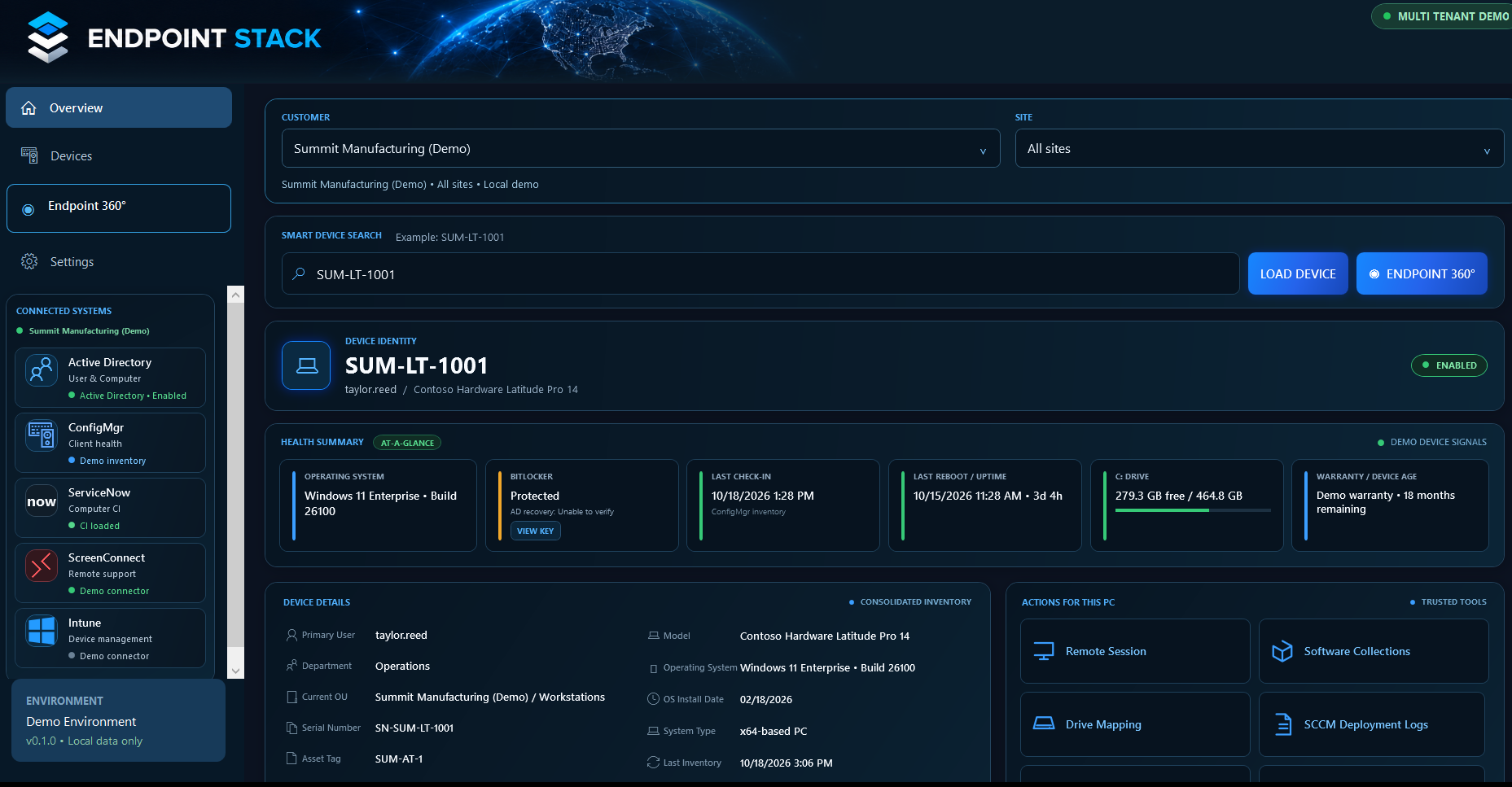
We’re also developing a workflow for teams that support multiple companies or sites. The idea is to choose the customer and location first, then work with the devices for that selection.

DEVELOPMENT SCREENSHOTSample data
Development screenshot with customer and site selectors, a device search, computer details, and support action panels. Shown with sample data.
Development view using sample data. Live customer connections and controls that keep each customer’s data separate are not implemented.

LET’S TALK ABOUT YOUR TEAM

Start with a typical support ticket.

01

What do you look up?

Tell us which tools you open and what computer details you need when a ticket comes in.

02

What slows you down?

Repeated searches, switching consoles, or finding the right action: tell us where your team loses time.

03

What would help?

We can discuss how Endpoint Stack could fit your workflow and what development or setup would be needed.

QUESTIONS OR IDEAS?

Tell us what would
make support easier.

Send us the tools you use and a task you would like to simplify.

Get in touch ↗